
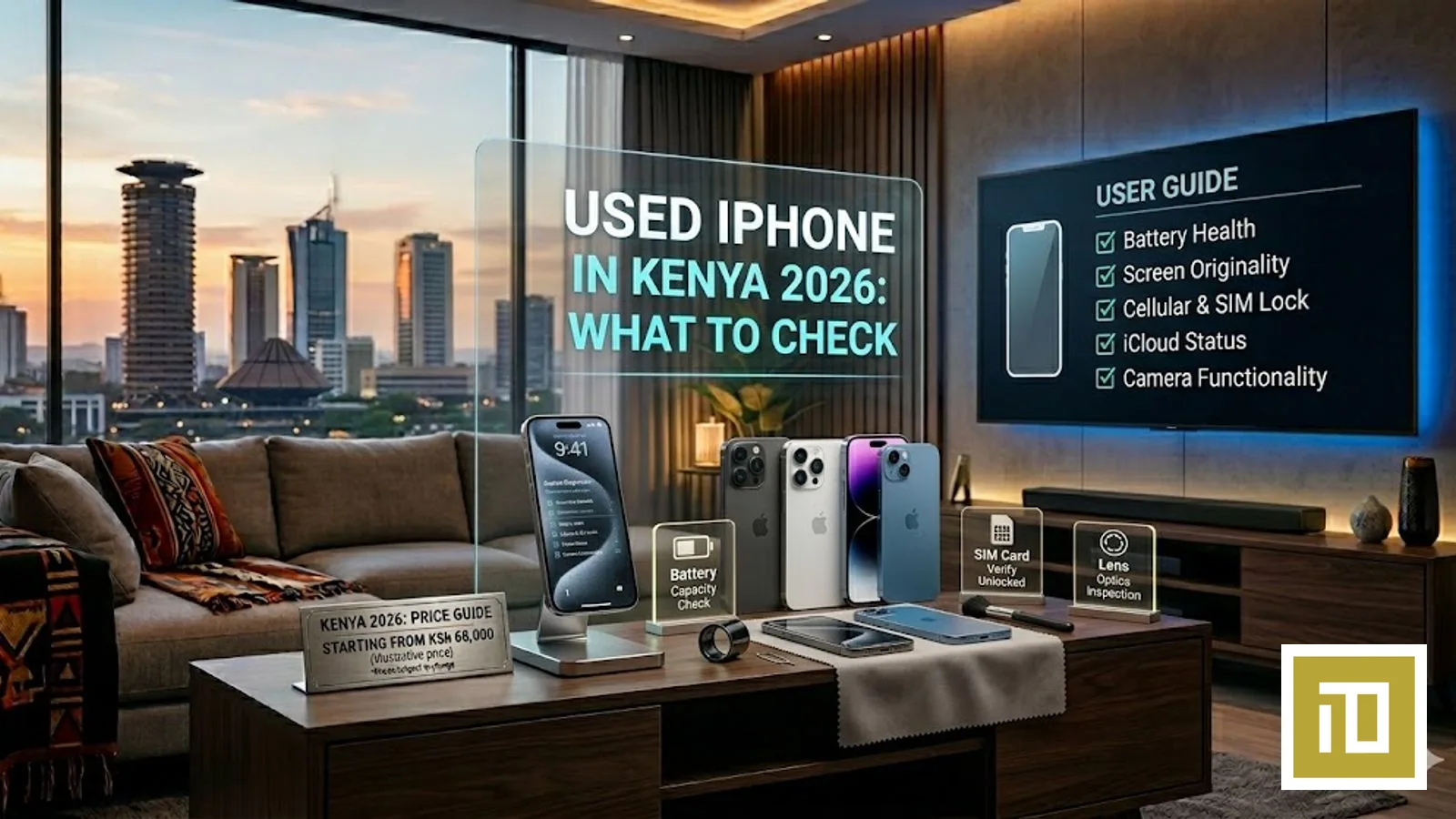
Used iPhone in Kenya 2026 — What to Check Before You Buy (Complete Guide)
The used iPhone market in Kenya is huge in 2026 — and it's roughly 50% legitimate sellers, 50% traps. A genuine used iPhone 15 Pro Max can save you a substantial amount versus buying new. A stolen or iCloud-locked unit will leave you with an expensive paperweight. This guide is the full inspection checklist iTey Store uses on every trade-in unit — apply it before you hand over any money.
What's a Fair Price for a Used iPhone in Kenya 2026?
Used iPhone prices in Kenya move quickly with new Apple releases and the supply of Kenyan trade-ins. Rather than quote stale numbers here, the honest answer is: WhatsApp iTey Store on +254 727 415 589 with the model + condition and we will quote the current fair market value the same day — both the trade-in price (if you're selling to iTey) and the certified pre-owned retail price (if you're buying from iTey).
Red flag rule of thumb: if a Nairobi seller is quoting you significantly below the realistic market range for a current-gen iPhone (17 Pro / Pro Max), it's almost always one of three things — stolen, iCloud-locked, or a high-quality fake. Walk away, or run the 9-point inspection below before you pay.
The 9-Point iTey Inspection Checklist (Use This Before You Pay)
1. Check the IMEI matches the box, the back panel, and Settings → General → About
Dial *#06# on the iPhone. The IMEI shown on screen must match: (a) the IMEI printed on the original Apple box, (b) the IMEI on the back of the device (on iPhone 13 and older), and (c) Settings → General → About → IMEI. All four must match exactly. If even one digit differs, the device has been re-cased or paired with someone else's documentation — do not buy.
2. Verify the serial number on Apple's official site
Go to checkcoverage.apple.com and enter the serial number from Settings → General → About → Serial Number. Apple will confirm: (a) the device is genuine, (b) its purchase date, (c) its warranty status, (d) whether it has active AppleCare. If the serial is "not recognised" by Apple, the device is counterfeit. Do not buy.
3. Confirm iCloud is NOT active — the most critical step
This is where most stolen iPhones in Kenya get caught. On the device: Settings → top of screen — there must be NO Apple ID signed in. If you see any name, email, or "Sign in to your iPhone" — the previous owner's iCloud is still active. If iCloud is active, that iPhone is useless to you — you cannot reset, set it up, or use it without the previous owner's password. Refuse to buy until the seller signs out of iCloud in front of you and you do a fresh setup with your own Apple ID.
4. Reboot the iPhone in front of the seller and complete fresh setup
Ask the seller to Settings → General → Transfer or Reset iPhone → Erase All Content and Settings. If iCloud lock kicks in (asks for the previous owner's Apple ID), you cannot use this phone — walk away. If it boots into the white "Hello" setup screen and lets you proceed with your own Apple ID, the iPhone is genuinely clean. Always do this BEFORE you pay.
5. Check battery health — Settings → Battery → Battery Health
Apple displays the battery's maximum capacity as a percentage. A used iPhone with 100–95% has nearly-new battery life. 94–85% is acceptable. Below 85% means you'll need a battery replacement (WhatsApp iTey for current quote). Below 80% and Apple itself flags it as "Service" — factor the replacement cost into your offer.
6. Check for non-genuine parts warnings
Settings → General → About → look for any orange warnings saying "Unknown Part" next to Display, Camera, or Battery. This means the device has been opened and a non-Apple part installed. Sometimes legitimate (Apple-authorised repair shops sometimes still trip this warning); often a red flag for a refurbished unit being sold as original. Knock a meaningful amount off the price for any "Unknown Part" warning, or skip.
7. Camera, mic, speaker, all buttons
Test the front camera (FaceTime), rear cameras at 1×, 2× and 3× / 5× telephoto on Pro models, flash, microphone (record a voice memo), speakers (play music), volume buttons, ringer/silent switch, lightning/USB-C port (charge while testing), Face ID enrolment, Touch ID (if applicable). Each takes seconds. Don't skip.
8. Network check — does it work on Safaricom, Airtel, and Telkom?
Insert your SIM. Make a test call to a Safaricom or Airtel number. If the iPhone is carrier-locked to a US, UK or Middle East operator, your Kenyan SIM won't connect to the network at all. Many imported "cheap" iPhones in Kenya are carrier-locked — they work as iPods but never as phones. Test before you pay.
9. Refurbished vs original — check the model number prefix
Settings → General → About → Model Number. The first letter tells you: M = Original retail, F = Apple-refurbished (still genuine, still warrantied by Apple), N = Replacement device from a previous warranty claim, P = Personalised engraved. M and F are both safe. Anything else, ask the seller for the device's full history.
Where to Buy Used iPhone Safely in Kenya 2026
iTey Store Certified Pre-Owned
iTey Store accepts iPhone trade-in across iPhone 11 through iPhone 16 Pro Max, runs every unit through the 9-point inspection above, and resells certified pre-owned with a 6-month iTey workmanship warranty. Browse current stock by WhatsApp +254 727 415 589 — we don't list all pre-owned units on the website, but stock rotates weekly. Same-day Nairobi delivery, M-Pesa accepted, KRA receipt provided.
Direct from previous owner (private sale)
Cheapest path but riskiest. Always meet in person at a public place (mall food court works well in Nairobi). Run all 9 checks above before any money changes hands. Bring a friend. Don't transfer via Lipa na M-Pesa to an unknown number — pay in cash, or via verified Pochi-la-Biashara to a registered business.
Avoid: random Jiji / Facebook Marketplace listings without seller history
If a seller has no history, no business address, and the price is 30%+ below the realistic ranges above — it's stolen, locked, or fake. The Kenyan iPhone trade has organised theft rings; every police report of a stolen iPhone in Nairobi is one that's about to be flipped through informal channels. Don't be the buyer at the end of that chain.
Frequently Asked Questions
What's the safest way to buy a used iPhone in Kenya 2026?
iTey Store Certified Pre-Owned. Every trade-in unit passes the 9-point inspection (IMEI match, Apple serial verification, iCloud-lock check, fresh setup, battery health, parts check, full functional test, network unlock, model-number history). Each comes with a 6-month iTey workmanship warranty and a KRA receipt. WhatsApp +254 727 415 589 for current stock — units rotate weekly. Private sales can save money but require running all 9 checks yourself before payment.
How can I check if a used iPhone is stolen in Kenya?
Three signals: (1) Settings → top of screen shows another Apple ID still signed in — the seller cannot remove it without the original owner's password; (2) the IMEI from *#06# does NOT match the original Apple box; (3) the serial number returns "not recognised" or "registered to another customer" at checkcoverage.apple.com. Any one of these = walk away. A stolen iPhone in Kenya is useless to you and can lead to legal questions if found in your possession.
What is iCloud lock and why does it matter when buying used iPhone in Kenya?
iCloud lock (Apple's "Find My iPhone Activation Lock") is a security feature that ties an iPhone to its original Apple ID. If the previous owner doesn't sign out before selling, the iPhone is permanently locked — you cannot reset it, set it up, or use it without the previous owner's Apple ID and password. Apple itself cannot unlock it remotely. This is why Step 3 of the inspection is non-negotiable: always boot to the white "Hello" setup screen in front of the seller before paying.
Is it cheaper to buy a used iPhone Pro Max or a new iPhone 17?
Often yes. A used iPhone 16 Pro Max in good condition typically outperforms a new iPhone 17 on cameras (triple-camera with 5× telephoto vs single 48MP), display (ProMotion 120Hz vs 60Hz), build (titanium vs aluminium), and battery. The trade-off is no Apple warranty on the used unit unless it is still within its original year. For most Kenyan buyers comparing flagship-old vs mid-tier-new: flagship-used wins. WhatsApp +254 727 415 589 for current iTey pricing on both.
What battery health is acceptable on a used iPhone in Kenya?
95–100%: nearly new. 85–94%: good for 1–2 more years of normal Kenyan use. 80–84%: still works but you'll notice shorter battery life — factor a battery replacement quote (WhatsApp +254 727 415 589) into your offer. Below 80%: Apple itself flags this as "Service" — battery should be replaced soon. If a seller is hiding the Battery Health screen, that's a red flag — always check before paying.
Where can I buy a certified pre-owned iPhone in Nairobi Kenya?
iTey Store at Cookie House, Accra Road, 3rd Floor, Store 311 stocks rotating Apple-certified pre-owned iPhone inventory — typically iPhone 13 Pro, 14, 14 Pro, 15, 15 Pro, 16, and 16 Pro models. Every unit passes the iTey 9-point inspection and ships with a 6-month iTey workmanship warranty. WhatsApp +254 727 415 589 for current stock. Same-day Nairobi delivery, M-Pesa accepted, KRA receipt provided. See also our trade-in programme to put your old iPhone toward a new one.
Ex-UK iPhone prices at iTey Store
Rather than quote on request, we publish the list. Ex-UK units are second-hand iPhones imported from the United Kingdom: every one is 90% battery health or better, unlocked for Safaricom, Airtel and Telkom, and IMEI-checked against the UK lost-and-stolen register before it is listed. The warranty on an ex-UK unit is 2 months and does not cover the screen — check the display before you pay.
- Ex-UK iPhone 11 price in Kenya — from KSh 32,000
- Ex-UK iPhone 12 price in Kenya — from KSh 36,000
- Ex-UK iPhone 13 price in Kenya — from KSh 44,000
- Ex-UK iPhone 13 Pro price in Kenya — from KSh 55,000
- See every ex-UK model and storage size
Locally traded-in handsets are a different door: those carry the longer 6-month workmanship warranty and are listed individually with photos on certified pre-owned.
Ready to buy?
Same-day delivery in Nairobi. Genuine products. Manufacturer warranty.
Get price drops on WhatsApp
New stock, real price drops, and early access to pre-orders. A few messages a month — never daily spam.
Related articles
13 September 2026
Send an Amazon Gift Card to the UK, Germany or Europe from Kenya — Which Country Card, and How
13 September 2026
Send Dinner to Family in America from Kenya — DoorDash and Uber Eats Gift Cards with M-Pesa

13 September 2026