
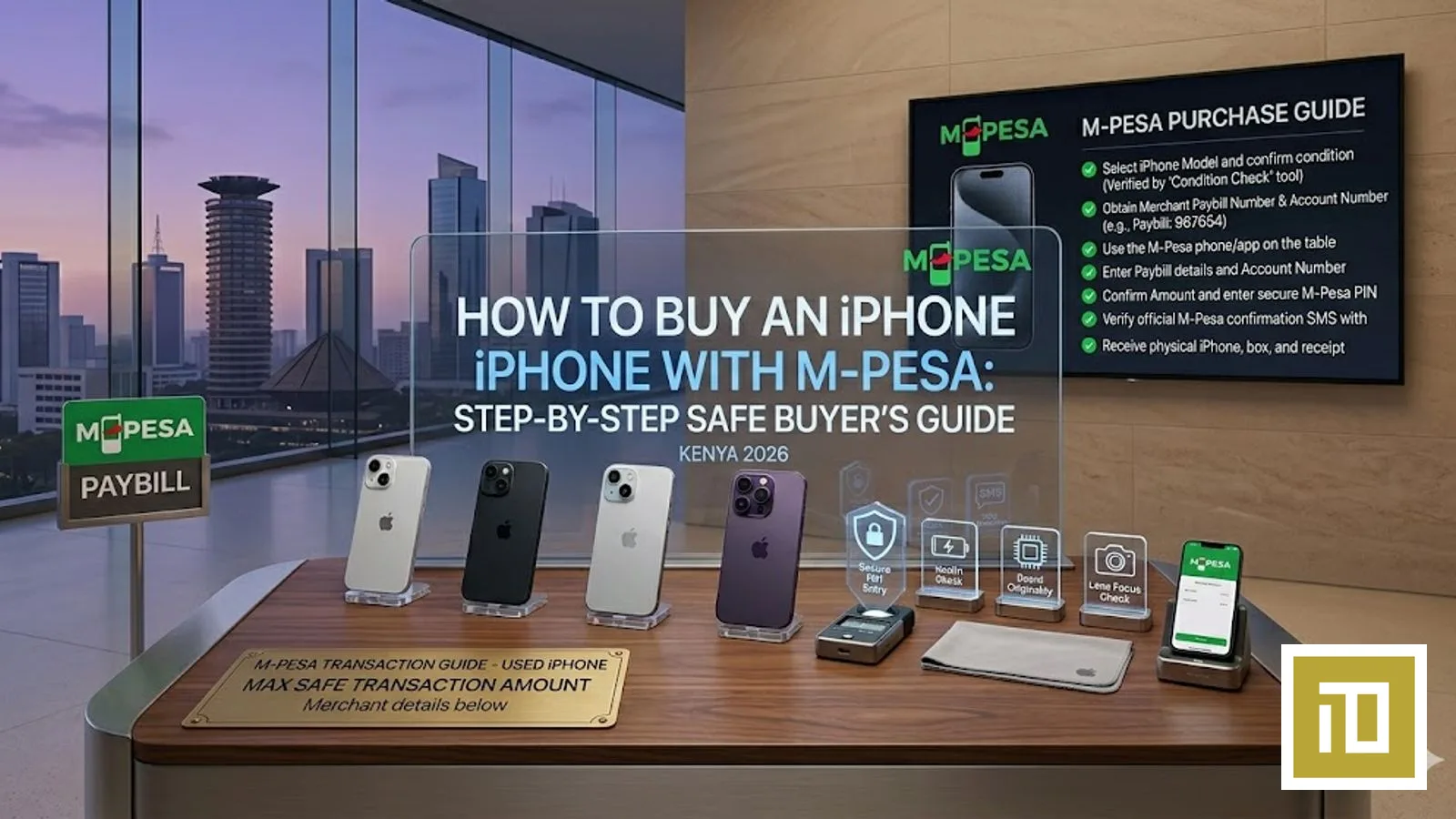
How to Buy an iPhone with M-Pesa in Kenya 2026 — Step-by-Step Safe Buyer's Guide
Lipa na M-Pesa is how most Kenyans pay for high-ticket electronics in 2026 — and for good reason. It's fast, it works on every Safaricom-line phone, and the transaction record can be verified against an official Paybill or Till. But sending a high-value sum for an iPhone via M-Pesa to the wrong number is also one of the most common ways Kenyans lose money to fraud. This is the safe step-by-step.
M-Pesa Payment Methods for Buying iPhone in Kenya 2026
| Method | Daily Limit | Transaction Fee | Safe for High-Value Purchases? |
|---|---|---|---|
| Lipa na M-Pesa Paybill | per Safaricom current limit | Free (paid by merchant) | Yes — recommended |
| Lipa na M-Pesa Buy Goods (Till) | per Safaricom current limit | Free (paid by merchant) | Yes |
| Pochi la Biashara | per Safaricom current limit | Free | Yes (if business is verified) |
| Send Money to phone number | per Safaricom current limit | per Safaricom current send-money tariff | No — high fraud risk |
| M-Pesa Global / GlobalPay | per Safaricom current limit | ~3.5% FX markup | For international cards only |
Step-by-Step: Buying an iPhone from iTey Store via M-Pesa
Step 1: Get the current iTey Store Paybill number directly from iTey
iTey Store payments route through a verified Lipa na M-Pesa Paybill registered to "iTey Store" with Safaricom. WhatsApp +254 727 415 589 to receive the current Paybill number for your order. Once you have the Paybill, you can independently verify the registered business name by calling Safaricom on 100 — Safaricom will confirm "iTey Store" or similar as the registered business. If the verified business name doesn't match, you have the wrong Paybill — do not pay. Never use a Paybill number forwarded by anyone other than iTey themselves.
Step 2: Confirm the iPhone you want, the variant, and the price
WhatsApp +254 727 415 589 with the exact model: "iPhone 17 Pro Max 256GB Natural Titanium eSIM". iTey will reply with the current Kenyan price, stock confirmation, and delivery options. Get the price in writing via WhatsApp before paying — that screenshot is your legal record of the agreed amount.
Step 3: Initiate Lipa na M-Pesa Paybill on your Safaricom line
On your Safaricom line: M-PESA menu → Lipa na M-Pesa → Pay Bill → Business Number: the iTey Paybill confirmed in Step 1 → Account Number: your order reference (iTey will give you one — usually your name + "iPhone17PM" or similar) → Amount: the exact KSh amount agreed in Step 2 → Enter M-Pesa PIN → Confirm. Safaricom will send you an SMS confirmation within 15 seconds. Forward that SMS to iTey via WhatsApp.
Step 4: iTey confirms receipt and dispatches
iTey verifies the M-Pesa receipt against the Paybill statement (takes 2–5 minutes during business hours). Once confirmed, iTey dispatches the iPhone via courier (Nairobi same-day if before 2 PM, next-day countrywide). You'll receive the courier tracking number on WhatsApp.
Step 5: Sign for delivery and verify the iPhone immediately
When the courier arrives, inspect the sealed Apple box BEFORE signing. Confirm: (a) the Apple seal is intact, (b) the model on the box matches what you ordered, (c) the IMEI on the box matches what's printed on the back (or via *#06# after unboxing). If anything is wrong, refuse delivery and WhatsApp iTey immediately.
Daily M-Pesa Limits — Can You Buy a High-Value iPhone in One Go?
Safaricom periodically updates the daily M-Pesa transaction limit. Check the current cap on the Safaricom site or by dialing 100 before initiating high-value payments. For most iPhones this is more than enough. For most current iPhone prices in Kenya, a single Paybill payment fits comfortably within Safaricom's daily M-Pesa transaction limit — done in one transaction. WhatsApp +254 727 415 589 for current iPhone pricing.
The transaction-per-recipient limit applies only when paying to a Paybill or Till — not when sending to a personal phone number. This is one of several reasons to insist on paying via Paybill, never to a personal Safaricom number.
Why You Should NEVER Pay for an iPhone via "Send Money to Phone Number"
Sending a high-value sum to a personal Safaricom number is the single most common Kenyan iPhone fraud pattern. Once the funds hit a personal M-Pesa wallet, the recipient can withdraw it via M-Pesa agent within minutes — and they're gone, often along with the iPhone you never received.
Paybill and Till payments are different. They route to a registered business account, settle on the merchant's statement, and can be traced + reversed (with a M-Pesa complaint + police report) if the merchant fails to deliver. Personal-number payments cannot be reversed at all once received. Insist on Paybill. Always.
What If Something Goes Wrong?
If the iPhone never arrives
(1) Save the M-Pesa SMS confirmation and the WhatsApp conversation. (2) Lodge a complaint with Safaricom: SMS your transaction ID to 234 with the word "REVERSE". You have 7 days. (3) Open a case with the Communications Authority of Kenya (CA) at ca.go.ke. (4) File a police report at your nearest station. Paybill transactions are traceable to a registered business with KRA records.
If the iPhone arrives but is fake / not as advertised
(1) Refuse delivery if you spot the issue before signing. (2) If you've already signed, photograph the issue immediately and notify the merchant via WhatsApp + email within 24 hours. (3) Most legitimate retailers including iTey will swap or refund. (4) If they refuse, escalate via the Kenya Consumer Protection Act — Competition Authority of Kenya has jurisdiction.
Buying iPhone in Instalments via M-Pesa in Kenya
For higher-value iPhones (iPhone 17 Pro Max, iPhone 17 Pro 1TB+), iTey Store offers structured instalment plans for verified customers:
- 3-month split: 50% deposit via Paybill, two equal monthly payments. Available on higher-ticket iPhone orders — WhatsApp +254 727 415 589 to confirm the current threshold.
- Sacco / employer financing: iTey works directly with several Nairobi Saccos and employer schemes. WhatsApp +254 727 415 589 with your Sacco name.
- Lipa Mdogo Mdogo (Safaricom): Safaricom's own instalment plan for selected smartphones. WhatsApp iTey to confirm which models qualify.
Frequently Asked Questions
How do I buy an iPhone with M-Pesa in Kenya 2026?
Use Lipa na M-Pesa Paybill (the safest method). Confirm the merchant's Paybill number with Safaricom on 100 first. Get the iPhone price and order reference via WhatsApp from the merchant in writing. Initiate the payment via Paybill, enter the merchant's Paybill number, your order reference, and the exact amount. Send the M-Pesa confirmation SMS to the merchant. Wait for delivery (same-day in Nairobi from iTey Store). For the current iTey Paybill, WhatsApp +254 727 415 589 before paying — never use a Paybill forwarded from anywhere else.
What is the M-Pesa daily limit for buying an iPhone in Kenya?
Safaricom periodically updates the daily M-Pesa transaction limit — check the Safaricom site or call 100 for the current cap. This is enough to pay for any iPhone in a single transaction — even the highest-storage iPhone 17 Pro Max variants. Safaricom's daily M-Pesa cap is per day, not per transaction — multiple smaller payments to the same Paybill within 24 hours stack toward the daily limit. Check the current cap on the Safaricom site or by dialing 100.
Is it safe to send M-Pesa to a phone number to buy an iPhone in Kenya?
No. Sending M-Pesa to a personal Safaricom number for a high-value purchase like an iPhone is the #1 fraud pattern in Kenya. Personal-number payments cannot be reversed once received. Always insist on paying via Lipa na M-Pesa Paybill or Till — these route to a registered business, can be traced via Safaricom and KRA records, and qualify for the dispute / reversal process if the merchant fails to deliver.
Does iTey Store accept M-Pesa for iPhone purchases in Kenya?
Yes. iTey Store accepts Lipa na M-Pesa Paybill (confirm the current number on WhatsApp +254 727 415 589) for every iPhone purchase. Most current iPhone prices fit comfortably within Safaricom's daily M-Pesa cap. iTey also accepts Visa, Mastercard, bank transfer, and structured instalments via Sacco / employer scheme. Same-day Nairobi delivery on orders before 2 PM. WhatsApp +254 727 415 589 for a quote.
Can I pay for an iPhone in instalments in Kenya via M-Pesa?
Yes — via three routes. (1) iTey Store's 3-month split plan: 50% deposit + two equal monthly Paybill payments, available on higher-ticket iPhone orders — WhatsApp +254 727 415 589 to confirm the current threshold. (2) Sacco / employer financing: iTey works with several Nairobi Saccos directly. (3) Safaricom Lipa Mdogo Mdogo: structured smartphone instalments via Safaricom itself, available on selected iPhones. WhatsApp +254 727 415 589 to confirm which plan suits your budget.
Where can I buy an iPhone with M-Pesa in Nairobi Kenya?
iTey Store at Cookie House, Accra Road, 3rd Floor, Store 311 accepts Lipa na M-Pesa Paybill (confirm current number on WhatsApp) for the full iPhone range — iPhone 17 Pro Max, 17 Pro, 17 Air, 17e, iPhone 16 family. Same-day Nairobi delivery, M-Pesa / Visa / Mastercard / bank transfer accepted, 1-year Apple international warranty. WhatsApp +254 727 415 589 for current pricing and stock. Verifiable Trustpilot reviews at trustpilot.com/review/iteystore.co.ke.
Ready to buy?
Same-day delivery in Nairobi. Genuine products. Manufacturer warranty.
Get price drops on WhatsApp
New stock, real price drops, and early access to pre-orders. A few messages a month — never daily spam.
Related articles

13 September 2026
Send an Amazon Gift Card to the UK, Germany or Europe from Kenya — Which Country Card, and How
13 September 2026
Send Dinner to Family in America from Kenya — DoorDash and Uber Eats Gift Cards with M-Pesa

13 September 2026