iOS 18
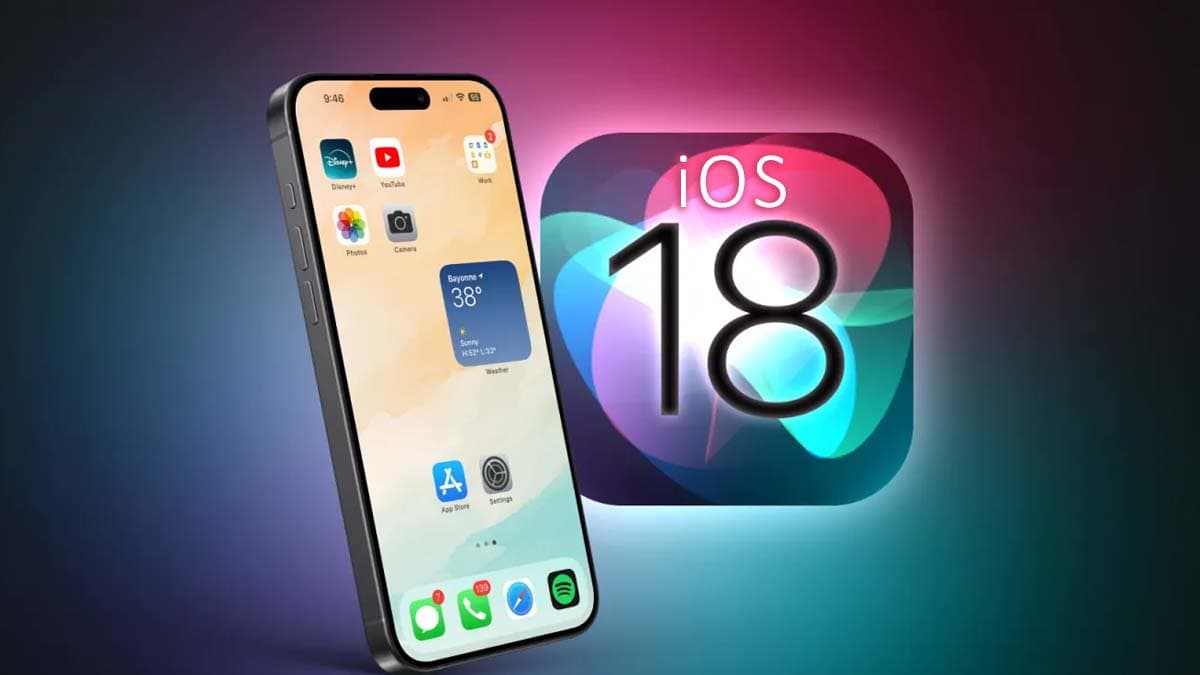
iOS 18 is Apple's most significant software update in years — and for the millions of Kenyan iPhone users on Safaricom, Airtel, and Telkom networks, it delivers features that genuinely change how you use your phone every day. From a completely redesigned Home Screen to the arrival of Apple Intelligence AI, iOS 18 is a free upgrade available on iPhone XR and all newer models. This guide covers every major feature, which iPhones are compatible, and how to get iOS 18 on your device in Kenya.
iOS 18 Compatible iPhones — Can Your Phone Get It?
iOS 18 supports all iPhones from iPhone XR (2018) and newer. Here is the full compatibility list:
- iPhone 16 series (Pro Max, Pro, Plus, standard) — full iOS 18 + Apple Intelligence
- iPhone 15 series — full iOS 18 + Apple Intelligence
- iPhone 14 series — full iOS 18
- iPhone 13 series — full iOS 18
- iPhone 12 series — full iOS 18
- iPhone 11 series — full iOS 18
- iPhone XS / XS Max / XR — iOS 18, no Apple Intelligence
Apple Intelligence (the AI feature set) requires at least iPhone 15 Pro or the iPhone 16 series due to the Neural Engine requirements. If you have an older model, you still get all the other iOS 18 features — just not the AI tools.
Top iOS 18 Features Every Kenyan iPhone User Should Know
1. Customise Your Home Screen Like Never Before
iOS 18 breaks Apple's long-standing Home Screen rules. You can now:
- Place icons anywhere — leave gaps, push icons to the bottom, arrange however you want instead of filling from the top-left corner
- Tint every app icon — apply any colour to all icons at once for a matched aesthetic, or go full dark mode on all icons
- Resize widgets freely — mix small, medium, and large widgets in any configuration without the grid restrictions of iOS 17
- Lock apps behind Face ID — any app can now require Face ID before opening, even if the phone is already unlocked. Critical for banking apps, M-Pesa, and personal messages
- Hide apps from the Home Screen — move sensitive apps to the App Library without showing them on your main screen
2. Messages Gets a Massive Upgrade
iMessage and SMS both get significant new features in iOS 18:
- Schedule messages — write a message now, send it later. Set the exact time for delivery — perfect for early morning messages you want timed for business hours
- React with any emoji — instead of six fixed reactions, tap-hold any message and react with any emoji you want
- Bold, italic, strikethrough, underline in iMessage — format text like a word processor directly in your message thread
- RCS messaging — iOS 18 adds full RCS support, meaning higher-quality photos, videos, and read receipts when messaging Android users on Safaricom or Airtel
- Satellite messaging — on iPhone 14 and newer, send messages via satellite when there is no Safaricom/Airtel coverage in remote areas of Kenya
3. Control Centre is Fully Customisable
For the first time ever, iOS 18 lets you add, remove, and rearrange every single button in Control Centre. You can add flashlight, calculator, camera, wallet, M-Pesa shortcuts, and dozens of third-party app controls. You can also add multiple pages of controls by swiping.
4. Photos App — Completely Rebuilt
The iOS 18 Photos app is entirely new. Instead of separate Albums, Recents, and For You tabs, everything is organised in one unified scrollable view with automatic collections by day, month, trip, and people. The app uses AI to surface your best photos automatically and group memories by theme.
- Custom Collections — create your own pinned photo sets that appear at the top
- Improved search — find photos by describing them in natural language ("photos from the coast trip last December")
- Automatic cleanup suggestions — duplicates, blurry shots, and screenshots flagged for deletion to free storage
5. Apple Intelligence — AI Built Into iPhone
Apple Intelligence requires iPhone 15 Pro or iPhone 16 series. For compatible devices running iOS 18, it includes:
- Writing Tools — rewrite, proofread, and summarise any text in any app system-wide. Works in WhatsApp, Notes, Mail, everywhere
- Priority Notifications — urgent alerts surfaced at the top; the rest summarised so you see what matters without scrolling
- Clean Up in Photos — AI removes unwanted objects from photos (replaces the background intelligently, like Google's Magic Eraser but built into iPhone)
- Summarise emails and messages — long email threads and group chat messages condensed to bullet points
- Smarter Siri — Siri can take actions inside apps, follow multi-step instructions, and answer questions with personal context
How to Update to iOS 18 in Kenya
- Connect to WiFi (Safaricom Home Fibre, Zuku, or any WiFi — the update is 1–4GB)
- Charge your iPhone to at least 50%
- Go to Settings → General → Software Update
- Tap Download and Install
- Enter your passcode and wait — the install takes 10–20 minutes
If your iPhone shows "iOS is up to date" but you haven't received iOS 18 yet, wait 24–48 hours. Apple rolls out updates in waves by region.
iOS 18 and M-Pesa — What Changes
iOS 18 does not fundamentally change how M-Pesa works on iPhone — the Safaricom M-Pesa app continues to function as before. However, several iOS 18 features improve the experience:
- Lock the M-Pesa app behind Face ID at the app level (not just phone unlock level) for extra security
- NFC tap-to-pay improvements benefit contactless payment integrations in Nairobi's expanding NFC payment network
- Improved notification summarisation means fewer interruptions from transaction alerts, grouped into a summary
Should You Update to iOS 18? Honest Verdict
Yes — iOS 18 is a stable, worthwhile update with no major known bugs at this stage. The Home Screen customisation, app locking, and Messages upgrades are genuinely useful changes that improve daily use for every iPhone owner in Kenya regardless of model. If you have an iPhone 15 Pro or newer, Apple Intelligence adds another dimension of usefulness on top of the core features. Update when you have 30 minutes on WiFi and a charged battery.
Ready to upgrade your iPhone? Browse the full iPhone range at iTey Store — including iPhone 16 Pro, iPhone 16, and iPhone 15 series, all available for same-day Nairobi delivery and running iOS 18 out of the box.
Frequently Asked Questions — iOS 18 Kenya
Is iOS 18 free to download in Kenya?
Yes. iOS 18 is a free software update available to all compatible iPhones. You need a WiFi connection to download it (1–4GB depending on your current iOS version). It does not require any subscription or payment.
Which iPhones are compatible with iOS 18?
iPhone XR (2018) and all newer models support iOS 18. This includes iPhone 11, 12, 13, 14, 15, and 16 series. Apple Intelligence (the AI features) require iPhone 15 Pro or iPhone 16 series minimum.
Will iOS 18 slow down my older iPhone?
iOS 18 is optimised for iPhones going back to 2018 and should not significantly slow down older supported devices. Apple's standard policy is to optimise each iOS update across all supported models. If your iPhone feels slow after updating, a restart usually resolves any temporary slowness.
Can I go back to iOS 17 if I don't like iOS 18?
Yes, for a limited window after release (typically 2–4 weeks), Apple allows downgrading back to iOS 17 through iTunes/Finder. After Apple stops signing the older firmware, downgrading is no longer possible. If you're unsure, wait a few weeks and check community feedback before updating.
Related Articles
Ready to buy?
Same-day delivery in Nairobi. Genuine products. Manufacturer warranty.
Get price drops on WhatsApp
New stock, real price drops, and early access to pre-orders. A few messages a month — never daily spam.