
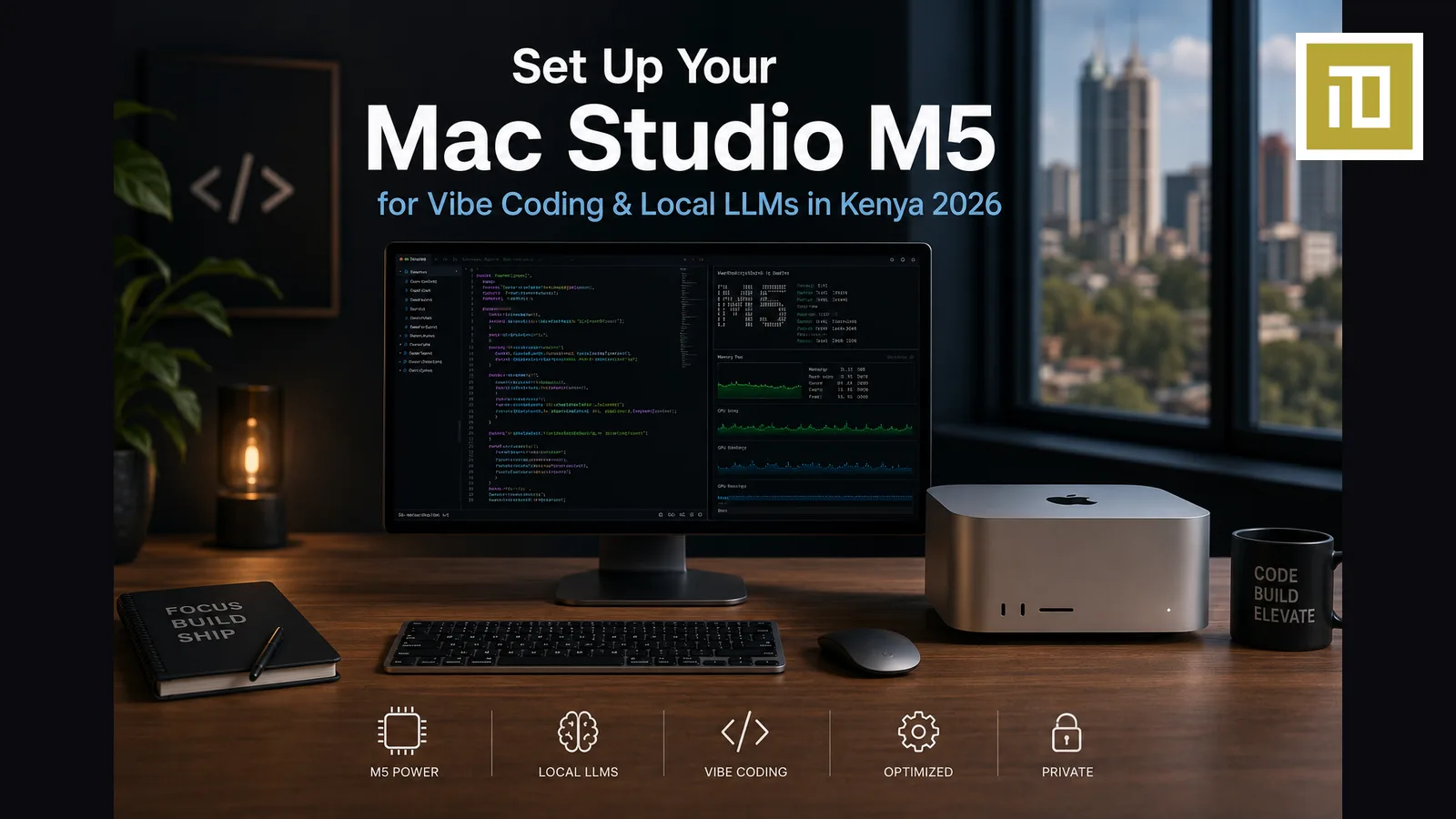
How to Set Up Your Mac Studio M5 for Vibe Coding & Local LLMs in Kenya 2026
If you bought a Mac Studio M5 Max or M5 Ultra in Kenya in 2026, you spent between KSh 425,000 and KSh 720,000+. This guide is the day-one through day-three setup we walk Kenyan customers through at iTey Store — from unboxing to running Llama 3.3 70B locally for code generation.
Built for Kenyan reality: Safaricom/Faiba fibre, occasional KPLC blips, Nairobi humidity, and the actual tools Kenyan vibe-coders are reaching for in 2026 (Claude Code, Cursor, Ollama, LM Studio, Aider, Continue.dev).
What You Need to Buy With Your Mac Studio
The Mac Studio ships with the computer, a power cable, and that's it. For a complete Kenyan vibe-coding setup you need:
| Item | Recommended | iTey Price |
|---|---|---|
| 32" 4K or 5K display | Apple Studio Display 27" or LG UltraFine 32" 4K | KSh 195,000 / KSh 115,000 |
| Keyboard | Apple Magic Keyboard with Touch ID + Numeric Keypad | KSh 24,500 |
| Mouse/trackpad | Magic Trackpad (better for code) or Magic Mouse | KSh 19,500 / KSh 12,500 |
| External SSD | Samsung T9 / SanDisk Pro 2TB Thunderbolt | KSh 32,000 |
| UPS | APC Back-UPS 1500VA | KSh 16,500 |
| USB-C hub (optional) | CalDigit TS4 / OWC Thunderbolt Hub | KSh 38,000 |
Full Mac Studio M5 Ultra + Studio Display + accessories setup: roughly KSh 1,000,000 total. Mac Studio M5 Max + LG UltraFine + basics: roughly KSh 600,000 total.
Day 1: macOS Setup
Initial setup wizard
- Language & Region: English (Kenya), or English (US) if you want imperial measurements off by default.
- Wi-Fi: Connect to your Faiba/Safaricom/Zuku 5GHz network. The Studio supports Wi-Fi 6E — use the 6GHz band if your router has it.
- Apple ID: Sign in with your existing Apple ID. If you don't have one, create one with your Kenyan phone number — international cards and a Virtual Visa both work for App Store and iCloud subscriptions.
- iCloud: Turn on iCloud Drive, Photos, Keychain. Don't turn on Desktop & Documents sync on a fresh setup — it can churn your network with multi-GB syncs for hours.
- Touch ID: Set up on your Magic Keyboard.
- Skip Siri, Screen Time, Apple Pay setup — do these later.
Immediate macOS settings to change
- System Settings → Appearance: Dark mode + auto wallpaper.
- Trackpad → Scroll & Zoom: Turn OFF Natural scrolling if you're moving from Windows/Linux. Otherwise this will frustrate you for weeks.
- Keyboard → Keyboard Shortcuts → Function Keys: "Use F1, F2 as standard function keys" — your code editors will thank you.
- Dock & Menu Bar: Set dock to auto-hide, position left (gives you back vertical screen space for code).
- General → AirDrop & Handoff: Turn on Handoff. Continuity Camera + AirDrop are the unsung heroes of the Apple developer ecosystem.
Day 1 (cont.): Install Your Developer Toolchain
1. Install Homebrew
Open Terminal (Cmd+Space → "Terminal") and run:
/bin/bash -c "$(curl -fsSL https://raw.githubusercontent.com/Homebrew/install/HEAD/install.sh)"On Nairobi 100 Mbps fibre, this takes 3-5 minutes. After it finishes, follow the on-screen instructions to add Homebrew to your PATH (it tells you the exact command).
2. Install core developer tools
brew install git node python@3.12 go pnpm bun docker
brew install --cask cursor visual-studio-code iterm2 raycast rectangle
This installs Git, Node, Python 3.12, Go, pnpm, Bun, Docker Desktop, Cursor, VS Code, iTerm2 (better terminal), Raycast (Spotlight replacement) and Rectangle (window snapping). Total download ~3GB, takes 10-15 minutes on Faiba.
3. Configure Git
git config --global user.name "Your Name"
git config --global user.email "you@example.com"
git config --global init.defaultBranch main
4. Install Claude Code
npm install -g @anthropic-ai/claude-codeThen run claude in any project directory and log in. See our Claude Pro Kenya payment guide if you don't yet have a paid Anthropic account — you'll need one for Claude Code at scale.
5. Install Cursor + Sign In
Cursor was installed via Homebrew above. Open it, sign in with your account. See our Cursor payment guide for the Virtual Visa method that actually works for Kenyan cards.
Day 2: Local LLMs with Ollama
This is the reason you bought a Mac Studio. Local LLMs run on Apple Silicon faster than on most consumer NVIDIA setups in this price range — and once installed, they're free to run forever (no per-token API costs, no rate limits, no internet required).
Install Ollama
Download Ollama for macOS from ollama.com (about 200MB). Install, then in Terminal:
ollama pull llama3.3:70b
ollama pull qwen2.5-coder:32b
ollama pull deepseek-r1:32b
Llama 3.3 70B is ~40GB download. Qwen 2.5 Coder 32B is ~18GB. DeepSeek-R1 32B is ~19GB. On Faiba 500Mbps these download in 15-30 minutes total.
Test it
ollama run qwen2.5-coder:32b "write a Python function that fetches Safaricom M-Pesa transactions from the Daraja API"On Mac Studio M5 Ultra (64GB), expect 25-40 tokens/sec output for Qwen Coder 32B. Llama 3.3 70B runs at 10-15 tokens/sec — slower but very usable for code generation.
Connect to Cursor
In Cursor: Settings → Models → Add Custom Model. Endpoint: http://localhost:11434/v1 — Cursor will then route prompts to your local Ollama. Same trick works in Continue.dev (VS Code extension).
Day 3: Optimisation & Backups
1. Set up Time Machine
Plug in your external SSD (Samsung T9 2TB recommended). System Settings → General → Time Machine → Add Backup Disk. Hourly auto-backups. Critical: don't skip this. Your codebase is in Git, but your Cursor settings, your shell history, your Notes app, your downloaded LLM weights are not — they all live on your Studio's internal SSD.
2. Connect your monitor properly
Use the Mac Studio's HDMI 2.1 port for the primary 4K/5K display — it supports 240Hz at 4K. Use Thunderbolt 5 ports for additional displays (the Studio M5 Ultra drives up to 8 displays simultaneously). DisplayPort over USB-C works too via Thunderbolt cables.
3. Tune for Kenyan power
The Mac Studio M5 Max draws about 60-80W at full load. M5 Ultra draws 100-150W. A 1500VA UPS gives roughly 45-60 minutes runtime — enough to ride out KPLC outages and shut down cleanly. Set System Settings → Energy → "Start up automatically after power failure" to ON so your Studio comes back online when power returns.
4. Set up screen sharing for remote access
System Settings → General → Sharing → Remote Login (SSH) and Screen Sharing. You can now SSH from your MacBook or iPad and use Cursor + Claude Code on your Mac Studio remotely — even from Java House. With Tailscale (also via Homebrew: brew install --cask tailscale) you get encrypted access from anywhere.
Recommended Vibe-Coding Workflow on Mac Studio
- Cursor as the editor with Claude Sonnet 4.6 or Opus 4.7 as the cloud model for serious work
- Qwen 2.5 Coder 32B locally via Ollama for autocomplete and quick refactors (zero latency, zero cost, works offline during KPLC outages)
- Claude Code CLI for long-running agentic tasks (multi-file refactors, codebase migrations)
- Docker Desktop for local Postgres / Redis / your microservices stack
- Raycast as your launcher with the Claude extension (Cmd+Space → ask anything)
- Linear / GitHub / Notion in browser tabs on a second display
Where to Buy Mac Studio M5 + Accessories in Kenya
iTey Store stocks Mac Studio M5 Max (KSh 425,000) and M5 Ultra (KSh 720,000+) — both configurable to 192GB unified memory and 8TB SSD on order. We also stock the full peripheral lineup: Apple Studio Display, Magic Keyboard with Touch ID, external Thunderbolt SSDs, and APC UPS units.
- Browse Mac Studio: iteystore.co.ke/category/mac-studios
- Browse all Macs: iteystore.co.ke/category/macs
- Pickup: Cookie House, Accra Road, 3rd Floor, Store 311 (Nairobi CBD)
- Delivery: same-day Nairobi, next-day countrywide
- Payment: M-Pesa, Visa, Mastercard, bank transfer
Frequently Asked Questions
Which Mac Studio M5 should I buy for local LLMs in Kenya?
For 32B-class models (Qwen Coder 32B, DeepSeek-R1 32B), Mac Studio M5 Max with 36GB is enough. For 70B models (Llama 3.3 70B), choose M5 Ultra with 64GB minimum. For 405B-class models (Llama 3.3 405B), you need M5 Ultra configured with 192GB unified memory — about KSh 1,100,000 at iTey Store but it's the only consumer machine that can run 405B locally at usable speed.
Can I run Claude Code on Mac Studio in Kenya?
Yes — Claude Code is a cloud-routed CLI tool from Anthropic that runs on any Mac. The Mac Studio's local power doesn't change the Claude API quality, but it does mean you can run aggressive agentic workflows (multi-file refactors, parallel sub-agents) without your laptop melting. Install via npm install -g @anthropic-ai/claude-code.
How fast does Qwen 2.5 Coder run on Mac Studio M5 Ultra?
About 25-40 tokens/sec for the 32B version at Q4_K_M quantization, depending on context length. Llama 3.3 70B runs at 10-15 tokens/sec on the same machine. Both are comfortably usable for code generation. The 14B-class models (Qwen 2.5 Coder 14B, Llama 3.3 8B) run 50-100 tokens/sec — fast enough for real-time autocomplete.
Do I need a Studio Display or can I use a cheaper monitor?
Apple Studio Display 27" 5K (KSh 195,000) is gorgeous but not strictly necessary. A good 32" 4K IPS panel from LG, Dell or Samsung at KSh 95,000–125,000 will serve you well for code. What matters: ≥27" diagonal, 4K (3840×2160) minimum, 100% sRGB coverage, IPS panel. Avoid TN panels and 1440p — text rendering on a Mac assumes high-DPI displays.
What about KPLC outages while training models?
Don't run long-running training jobs (>30 min) without a UPS. For inference workloads (chat, autocomplete, code generation), they save state between requests so outages don't lose work. For longer fine-tuning or batch jobs, a 3000VA inverter system at iTey Store (KSh 65,000–95,000) gives you 4-6 hours of clean power.
Where can I buy Mac Studio M5 Ultra in Nairobi Kenya?
iTey Store at Cookie House, Accra Road, 3rd Floor, Store 311 stocks Mac Studio M5 Ultra starting at KSh 720,000 (64GB / 1TB). Configurable up to 192GB / 8TB on special order — typically 5-7 business days for custom configs. Order online at iteystore.co.ke/category/mac-studios or WhatsApp +254 727 415 589. M-Pesa accepted, 1-year Apple international warranty, same-day Nairobi delivery.
Ready to buy?
Same-day delivery in Nairobi. Genuine products. Manufacturer warranty.
Get price drops on WhatsApp
New stock, real price drops, and early access to pre-orders. A few messages a month — never daily spam.
Related articles

13 September 2026
Send an Amazon Gift Card to the UK, Germany or Europe from Kenya — Which Country Card, and How
13 September 2026
Send Dinner to Family in America from Kenya — DoorDash and Uber Eats Gift Cards with M-Pesa

13 September 2026